

WHERE RECIPES COME FROM
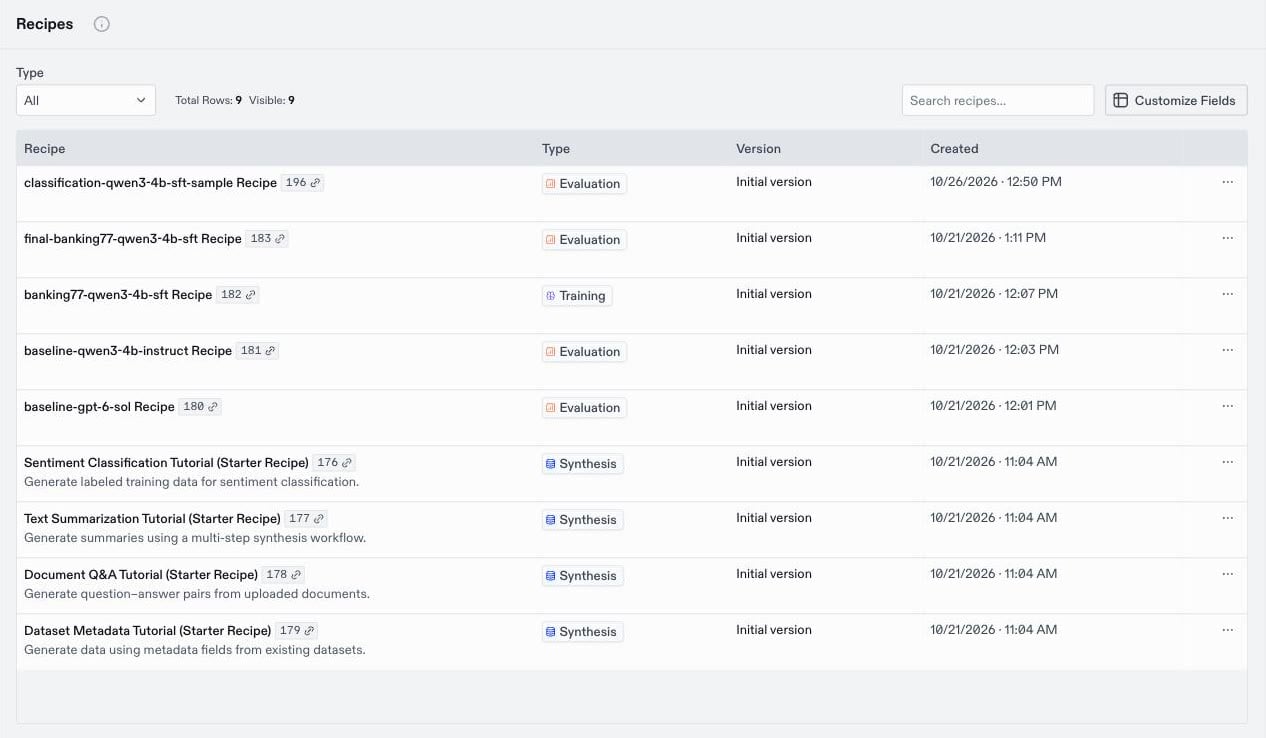
- Jobs: Running a training, evaluation, or synthesis job saves its configuration as a recipe automatically, named after the job, such as
banking77-qwen3-4b-sft Recipe. - The Builder: Save a form as a recipe without running it.
- FAiE (Frontier AI Engineer Agent): FAiE creates and updates recipes when it configures a job for you.
- Starter recipes: New projects include starter synthesis recipes that show common patterns.
RUN OR CHANGE A RECIPE
Click a recipe on the Recipes page to open it in the Builder. From there, you can:- Click
Executeto run the job again with the same configuration. - Change settings, and click the save icon to save them as a new version of the recipe.
- Select
Save as...to save the changes as a separate recipe and keep the original unchanged. - Click
Edit as JSONto edit the full configuration.
VERSIONS
Each save of an open recipe adds a version, and the Version column shows the current one. Versions keep the history of a configuration, so a result that came from an older version can still be traced to the exact settings it used.RECIPES BY JOB TYPE
Training recipes
Base model, method, datasets, and training settings.
Synthesis recipes
Attributes, prompts, and generation settings for a dataset.
Evaluation recipes
Model, test set, and evaluators for a repeatable evaluation.