

REVIEW ROWS IN DATA EXPLORER
Data Explorer lists every row of the dataset with its content and metadata. ClickData Explorer on the dataset page, or select it from the dataset’s menu on the Datasets page. Click a row to read the whole conversation, and click View metadata to see its metadata.
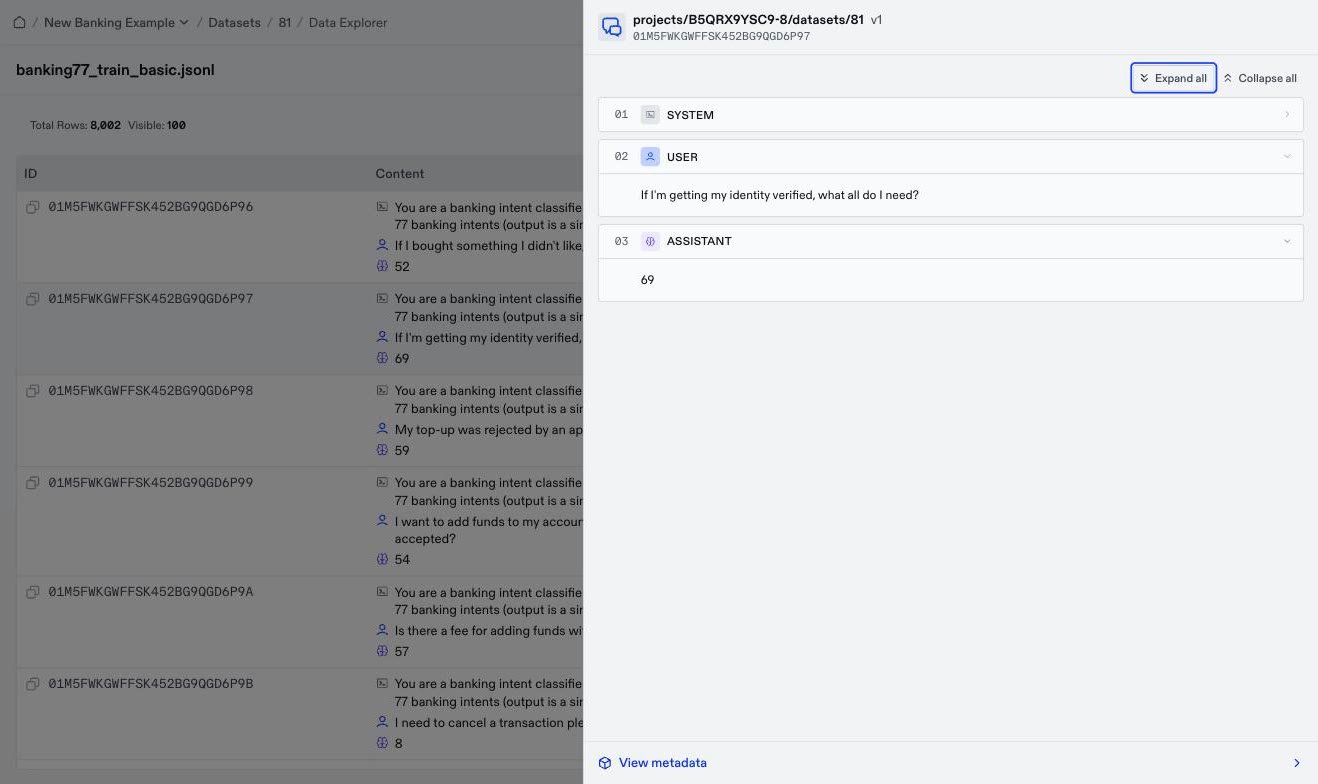
- Training rows end with an assistant turn. Training learns from the assistant’s responses, so a row that ends on a user turn teaches nothing.
- Labels match the responses. For a classification dataset, the label in
metadatashould match the assistant’s answer. If they disagree, the evaluation scores measure the labeling errors instead of the model. - Generated rows vary. In synthesized data, scan the assistant turns for repeated openings or structure. A model trained on repetitive data learns one template.
- Tool calls are present. In an agent dataset, an assistant turn that calls a tool shows its calls, and its text can be empty.
Download… from the dataset’s menu to export the latest version as JSONL. Edit the file, and upload it as a new dataset.
VERSIONS
Oumi creates a new version of a dataset when you delete failed rows, restore a version, or add generated rows to it. The Versions tab lists every version, marks the Current Version, and shows when each one was created.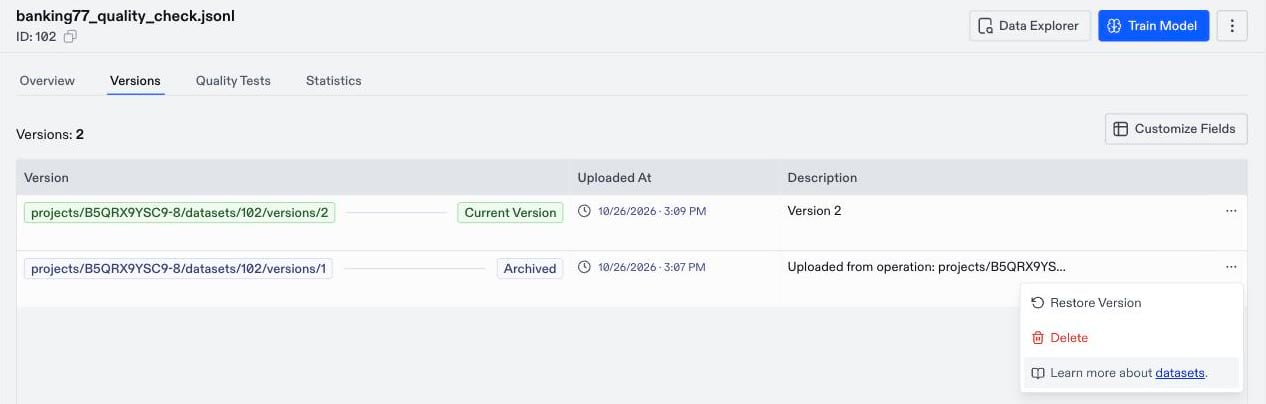
- Restore a version: Open the menu of an earlier version and select
Restore Version. Oumi copies that version into a new version and keeps the current one, so you can undo the restore the same way. - Delete a version: Open the version’s menu and select
Delete. If you delete the current version, the previous version becomes current. You can’t delete a dataset’s only version.
DELETE A DATASET
To delete a dataset, open its menu and selectDelete. Deleting removes the data and every version, and it can’t be undone. Before you delete a dataset, check the Used in card on its Overview tab for the trainings and evaluations that used it.