

WHAT YOU CAN UPLOAD
Oumi accepts JSON, JSONL, CSV, and Parquet files. It reads the rows of each file to decide what the file becomes:
For sample files in each format, see the Oumi example datasets.
TRACE IMPORTS
If your agent already runs in production and you trace it with Langfuse or LangSmith, you can turn those traces into a dataset. Oumi rebuilds each traced conversation with its system prompt, turns, tool definitions, and tool calls. The result reflects how real users talk to your agent, which synthetic data only approximates. Export the traces as JSONL and upload the file like any other. To learn how to export from each platform and how Oumi handles partial and duplicate traces, see Import observability logs.QUALITY TESTS
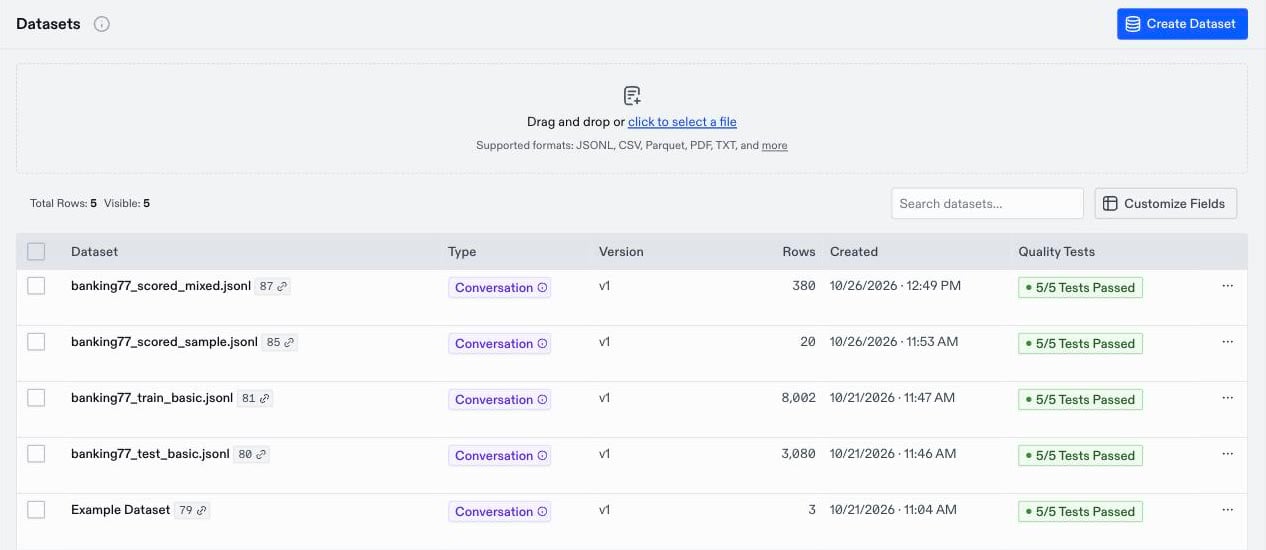
After an upload finishes, Oumi runs quality tests on the new dataset. The tests check the structure of each row, such as empty turns, turns out of order, or a missing user message. These are problems that can make a training job fail or teach a model the wrong pattern. The Quality Tests column on the Datasets page shows how many tests passed. Click it to see the failed rows. To learn what each test checks and how to remove the rows that fail, see Check dataset quality. Oumi skips rows it cannot convert at all, such as a row with nomessages, and imports the rest. The dataset’s Overview tab lists the number of skipped rows under Upload Failures.