

BEFORE YOU START
You need:- At least one tool with a tool implementation that answers its calls. The Tools section appears only when your project has at least one tool.
- A model under evaluation that supports tool calling. Hosted API models are accepted. For an Oumi-served or custom model, Oumi checks whether its base model can call tools, and rejects the run if it can’t.
- For a simulated user, a hosted API model to play the user. The User Model section lists only models that can play the user.
RUN AN AGENT EVALUATION
- Set up the run as in Evaluate a model: keep
Use model, and select the Assistant Model, Evaluators, and Dataset. - Expand Tools and open
Select tools and implementations. For each tool the model may call, check the tool implementation that answers its calls. You can check one implementation for each tool. If a tool has no implementation yet, clickCreate an implementation. - Optionally, expand User Model, choose a model to play the user, and set
Max user turns. The count includes the first user message. Fewer turns keep conversations short and the run cheaper. - Click
Execute, enter a name, and clickRun Evaluation.
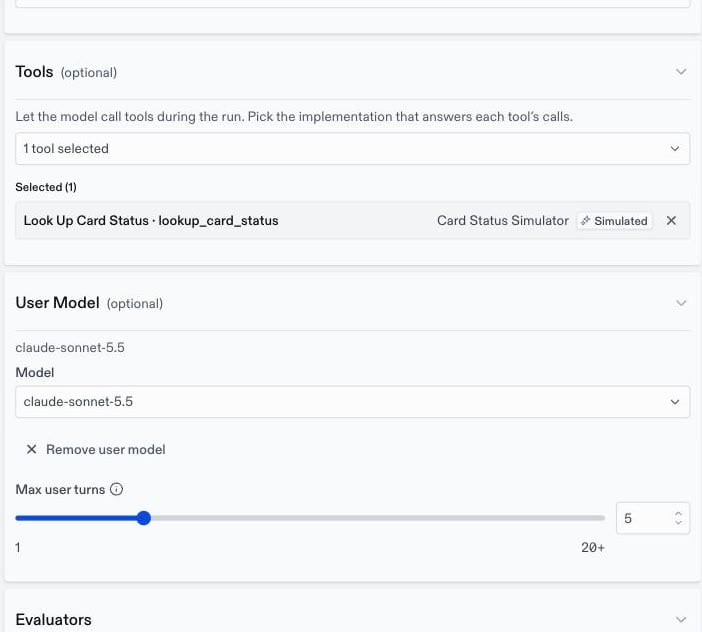
Remove user model.
A run that attaches an interactive tool implementation must also set a user model, because the simulated user answers those calls.
HOW EACH CONVERSATION RUNS
For each row, the evaluation keeps the messages up to and including the first user message and discards the rest. The model answers, calling tools as needed, until it gives a final answer. With a user model, the simulated user replies and the model answers again, until the simulated user ends the conversation or the conversation reachesMax user turns. To give the simulated user a goal for each row, add a user persona.
WHAT TO CHECK
A correct final answer can hide a poor process, such as a wrong tool call that happened to return useful data. To decide what your evaluators should check in a tool-using conversation, see Judging tool use and conversations. The results show the turns and tool calls of each conversation. To run an agent evaluation with the API, addagenticInferenceConfig to the request. See Run an evaluation with the API.