

BEFORE YOU START
You need:- A harness registered in your project.
- A custom Oumi model or an API-hosted model to evaluate.
- A dataset of conversations, each ending with a user message.
- At least one evaluator.
RUN THE EVALUATION
- Go to Evaluations and choose Run an Evaluation to open the Builder.
- Under Inference Source, select Use model. A harness needs to generate new responses, so Use trace is not supported.
- Under Assistant Model, select the model you want your agent to use.
- Under Agent Runtime, select Your harness. The Harness selector appears; choose the endpoint registered in this project.
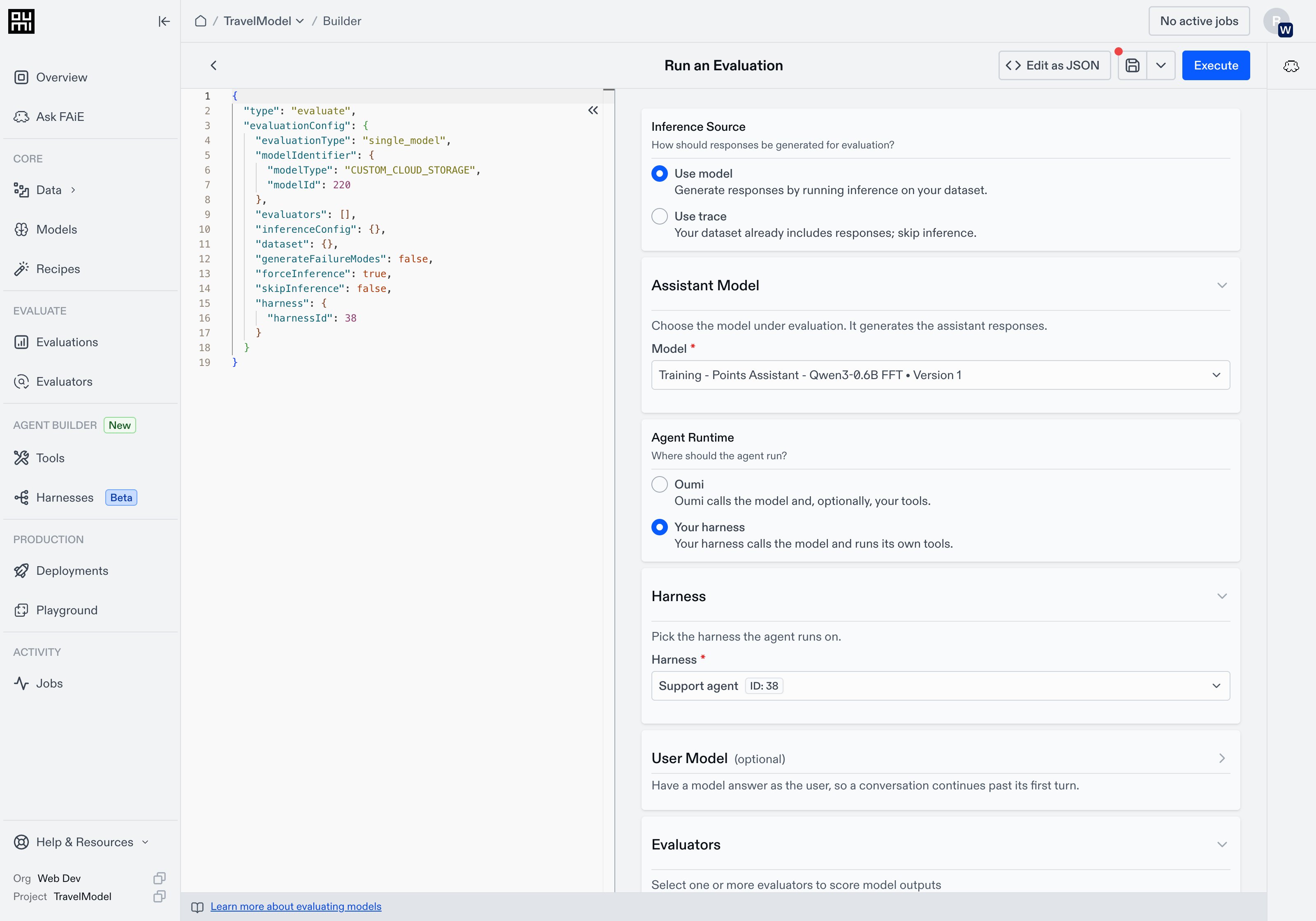
Review the configuration and click Execute. In the confirmation dialog, name the run and click Run Evaluation. For custom models, Oumi uses the same model version throughout the run.
ADD A SIMULATED USER
If your agent asks questions during a conversation, expand User Model in the Builder and select a model to answer them. This is separate from the Assistant Model being evaluated. When your agent pauses for input, Oumi generates the user’s reply and sends it back so the conversation can continue. Dataset metadata, such as a user persona, provides context for these replies and is not shared with your agent. You can leave User Model empty if your agent does not need follow-up input. If it requests input without a user model configured, that row fails.BILLING
A harness evaluation is billed like a regular evaluation of the same model:- Custom model: Serving capacity for the duration of the evaluation, plus token usage through the model connection.
- API-hosted model: Token usage through the model connection.
- Simulated user and evaluators: Token usage, as in other evaluations.
TROUBLESHOOTING
For endpoint implementation details, see the harness protocol.