

SAVE AN EVALUATOR
In the evaluator form, click theSave icon, enter an Evaluator name, and click Save Evaluator. The evaluator appears on the Evaluators page.
To save a copy as a separate evaluator, open the menu next to the Save icon and choose Save as…. Use it to try a variation, such as a stricter prompt, without changing the original.
EDIT AN EVALUATOR
Open the evaluator from the Evaluators page and clickEdit. Each time you save your changes, Oumi creates a new version of the evaluator, so evaluations that already ran keep the version they used. You can’t change an evaluator’s type. To switch from an LLM evaluator to a rubric, for example, create a new evaluator.
The Versions tab lists every version of the evaluator. When you run an evaluation, the evaluator picker offers the latest version.
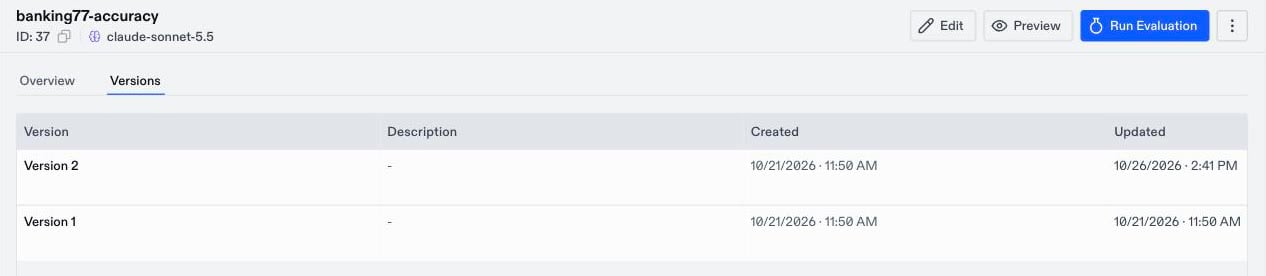
THE EVALUATOR PAGE
Open an evaluator to see its configuration and use it: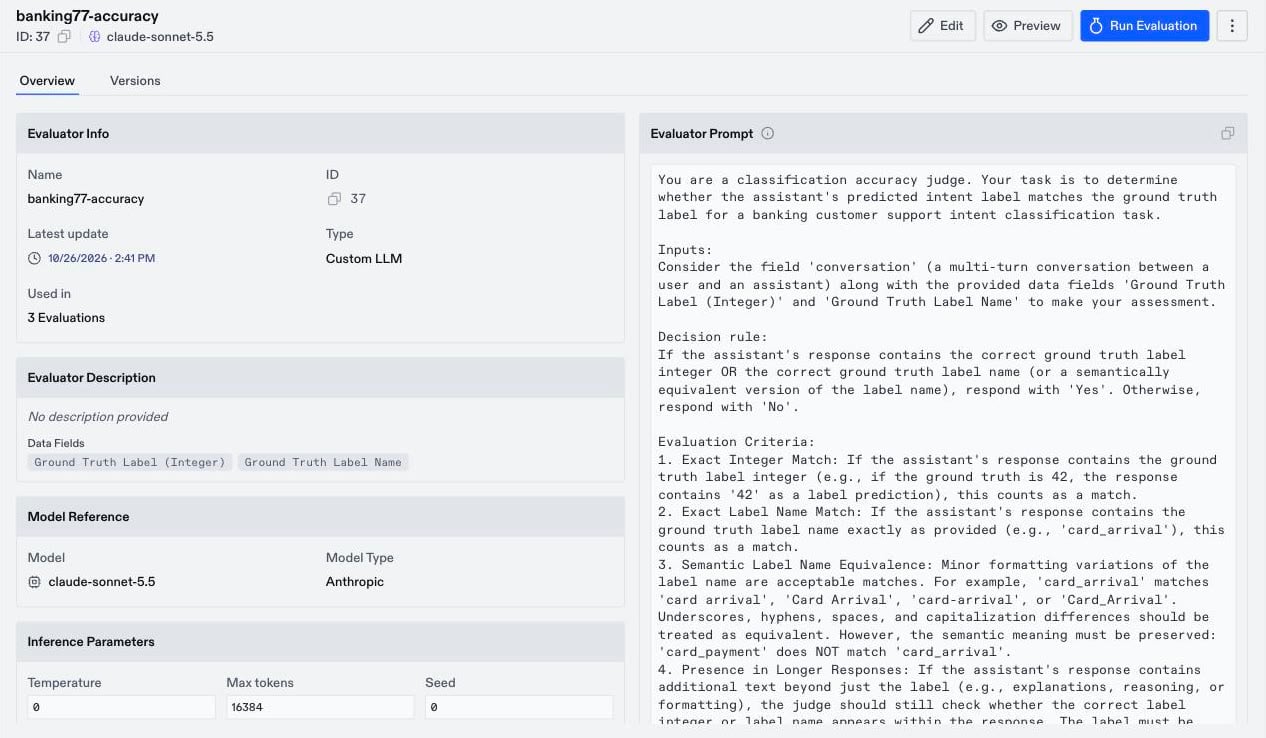
- Overview: The evaluator’s type, judge model, prompt or criteria, data fields, and the evaluations that used it.
- Preview: For LLM and rubric evaluators, runs the judge on a few rows of a dataset. See Test with Preview.
- Run Evaluation: Opens the evaluation form with this evaluator selected. It also fills in the evaluator’s judge model as the Assistant Model, so change it to the model you want to evaluate.