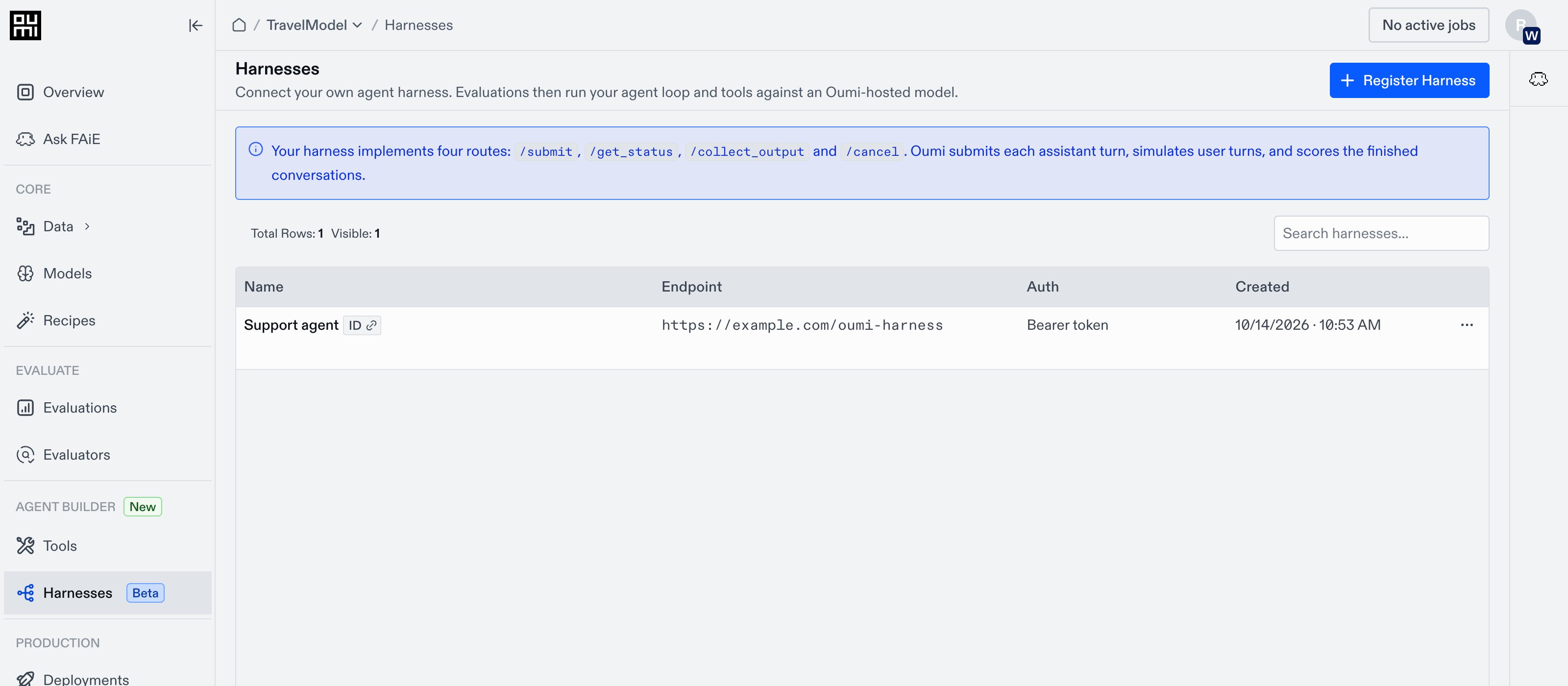
Use Bring Your Own Harness (BYOH) when you want to evaluate a model inside a harness you already run. Your agent keeps its prompts, tools, memory, and state. You make it available to Oumi at a public HTTPS endpoint, then register that endpoint as a harness. During an evaluation, Oumi sends each assistant turn to your harness and gives it a connection to the model being evaluated. Your harness runs the turn and returns its messages. Oumi can simulate user replies and scores the finished conversations. Oumi's evaluation run sends each turn to your harness over the harness protocol, and your harness calls the model under evaluation through the model connection Oumi's evaluation run sends each turn to your harness over the harness protocol, and your harness calls the model under evaluation through the model connection Your harness does not need its own access to the model. Each submit request includes a model connection with a scoped key, so your agent calls the model under evaluation through Oumi while your prompts, tools, memory, and state stay in your runtime. Harnesses page showing registered endpoints and the Register Harness button Once your endpoint implements the harness protocol, register it from your project’s Harnesses page. You can then select it in the evaluation Builder and reuse it across runs.
Harnesses currently support evaluation workflows.

WHAT YOU CAN EVALUATE

Harness evaluations generate new responses for every run. Your harness runs its own tools; Oumi’s tool implementations are not used in these evaluations.

NEXT STEPS

Register a harness

Add your endpoint and credential to a project.

Evaluate with a harness

Run an evaluation through your harness.

Harness protocol

Implement the routes, payloads, and status codes.