

BEFORE YOU START
You need:- An agent endpoint that implements the harness protocol and is reachable over the public internet.
- Editor access to the project.
- The endpoint’s authentication credential, if it requires one.
https://agents.example.com/eval.
VIEW YOUR HARNESSES
Open your project and select Harnesses in the left navigation. This page lists the registered endpoints, their authentication methods, and when they were created.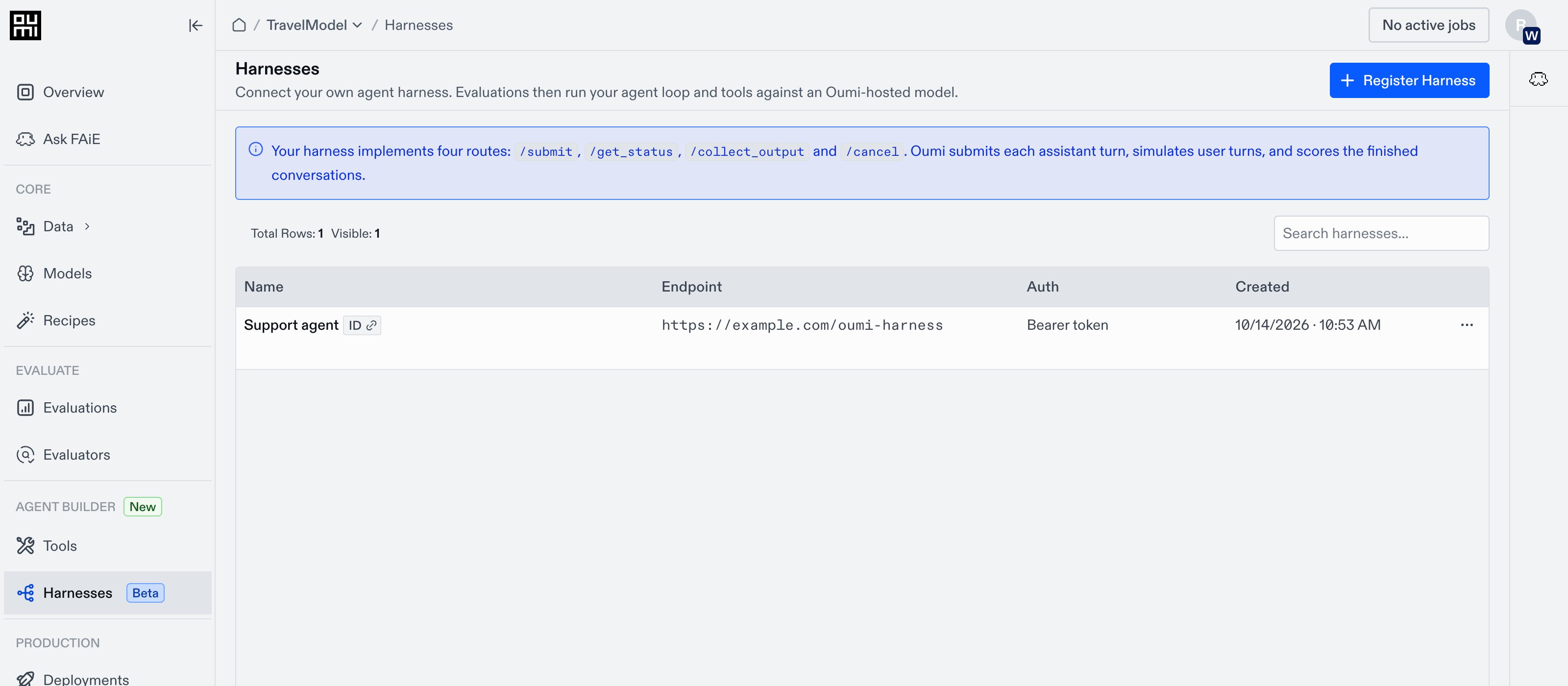
REGISTER THE HARNESS
Click Register Harness to open the registration form.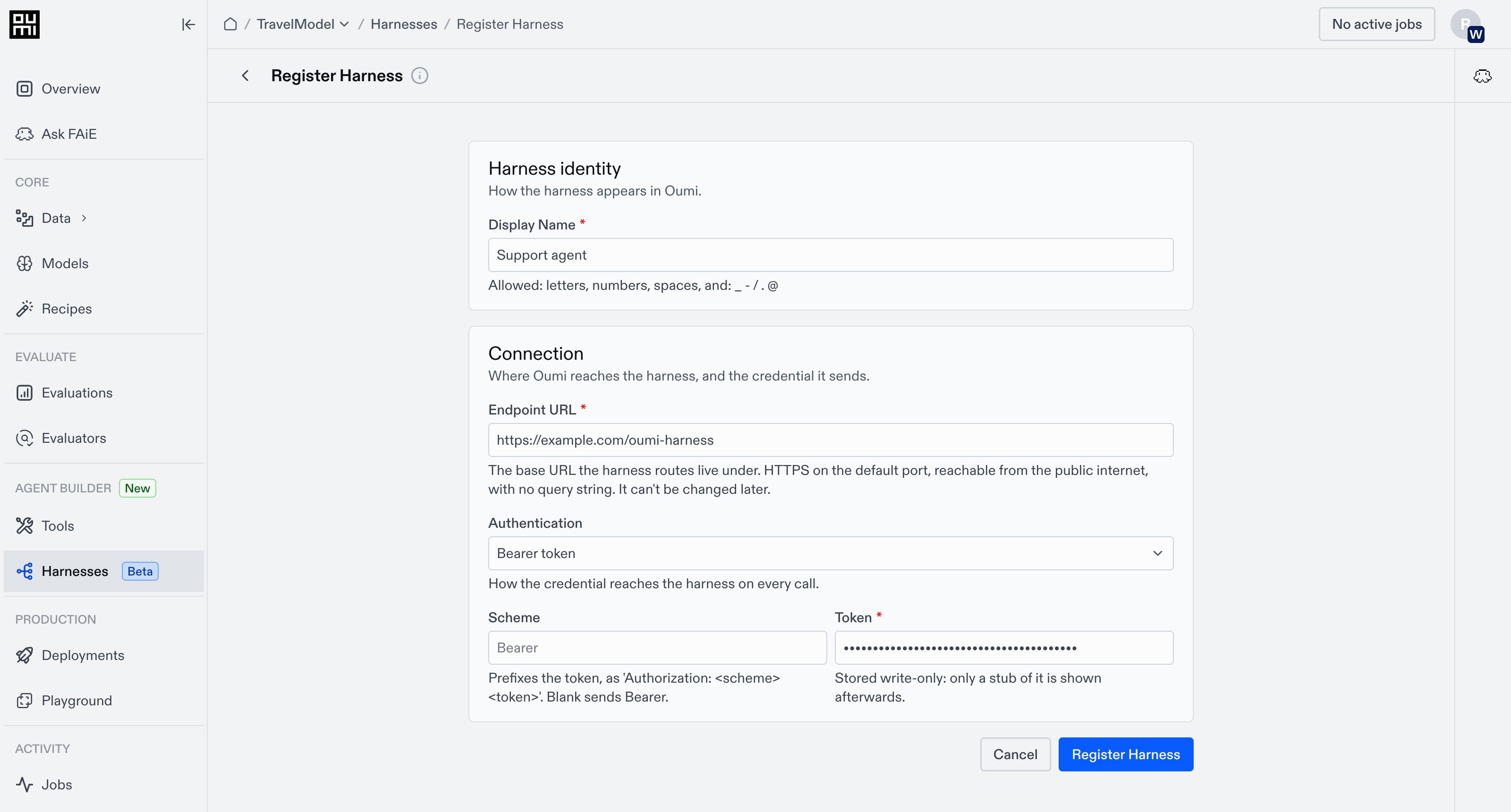
- Enter a Display Name to identify the harness, such as
support-agent-prod. - Enter the Endpoint URL where Oumi can reach your agent’s harness routes.
- Choose Authentication: None, Bearer token, or API key header. Enter the credential if required.
- Click Register Harness.
AUTHENTICATION OPTIONS
Choose the auth method your endpoint expects:UPDATE YOUR CREDENTIALS
- Go to Harnesses and open the entry you want to update.
- In Connection, click Edit.
- Enter the new credential and click Save.