

WHEN TO IMPORT A MODEL
Import a model when you want to:- Evaluate an open-source or third-party model alongside your own
- Deploy a model you trained outside of Oumi
- Bring a fine-tuned checkpoint into a project to serve it
HOW TO IMPORT A MODEL
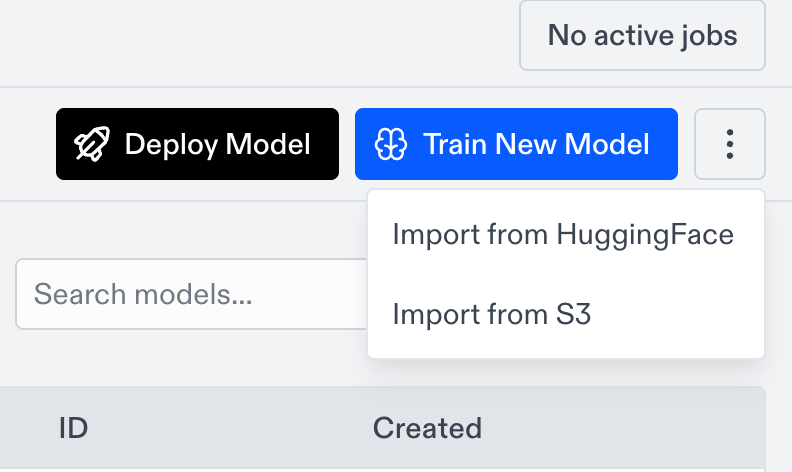
- Go to the Models page.
- Click the More actions button (the three dots) at the top right.
- Choose Import from HuggingFace or Import from S3.
Import from HuggingFace
Pull model weights from a HuggingFace Hub repo into your project.- Enter a Display name for the model.
- Enter the Repo ID in
org/repoformat, for examplemeta-llama/Llama-3.2-1B. - Set the Base model (see Set the base model).
- Click to start the import.
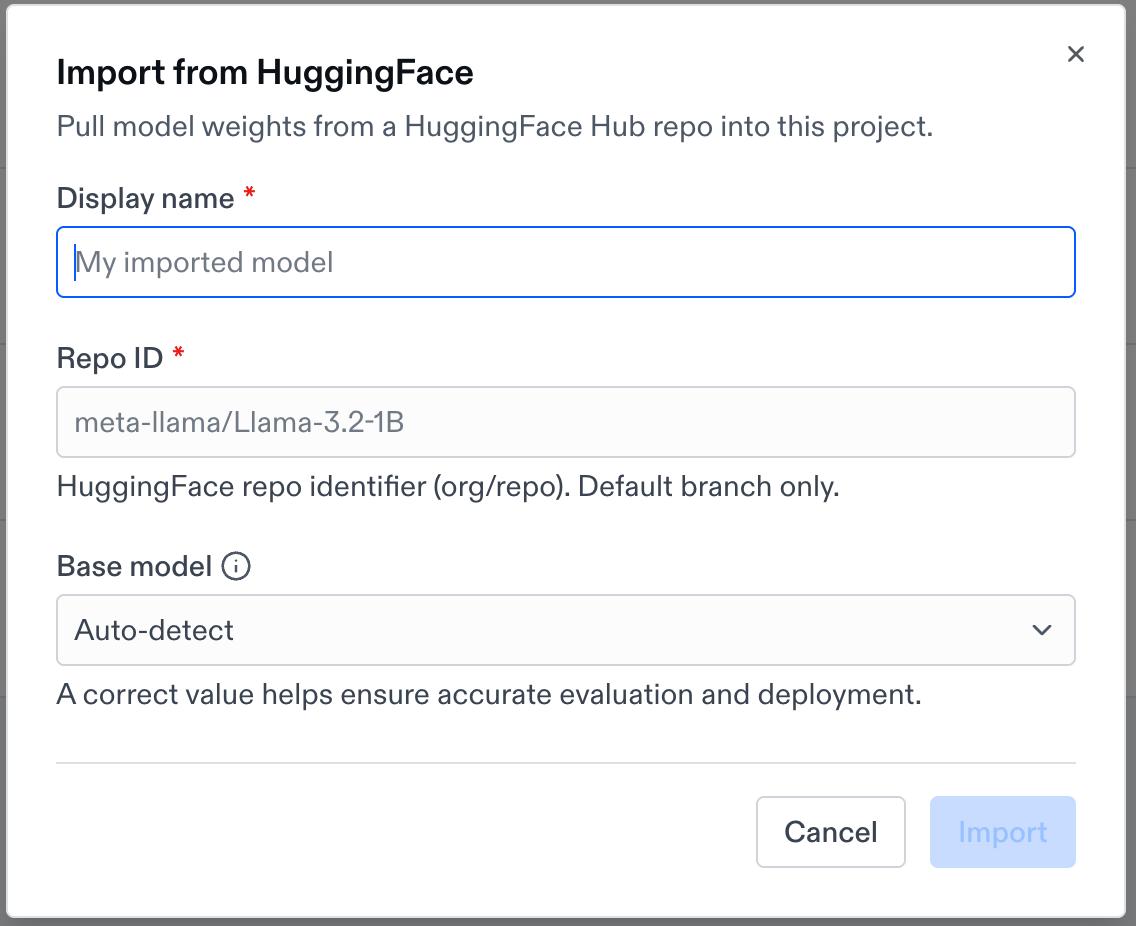
Only the repo’s default branch is imported. For gated or private repos, add a HuggingFace token to your project first so Oumi can access the weights.
Import from S3
Pull a model artifact from a presigned S3 URL into your project.- Enter a Display name for the model.
- Paste the Presigned URL to your model artifact.
- Set the Base model (see Set the base model).
- Click to start the import.
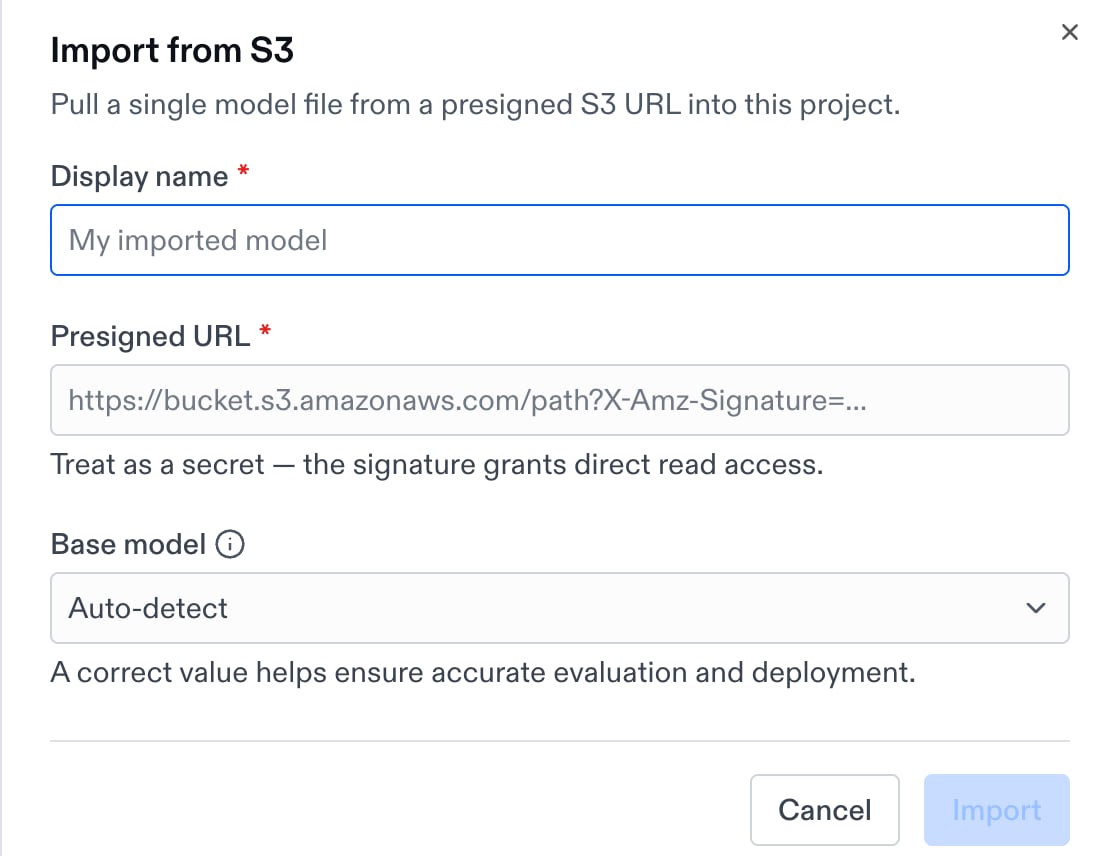
.zip, .tar, .tar.gz), up to 2 TB uncompressed and 100,000 files.
SET THE BASE MODEL
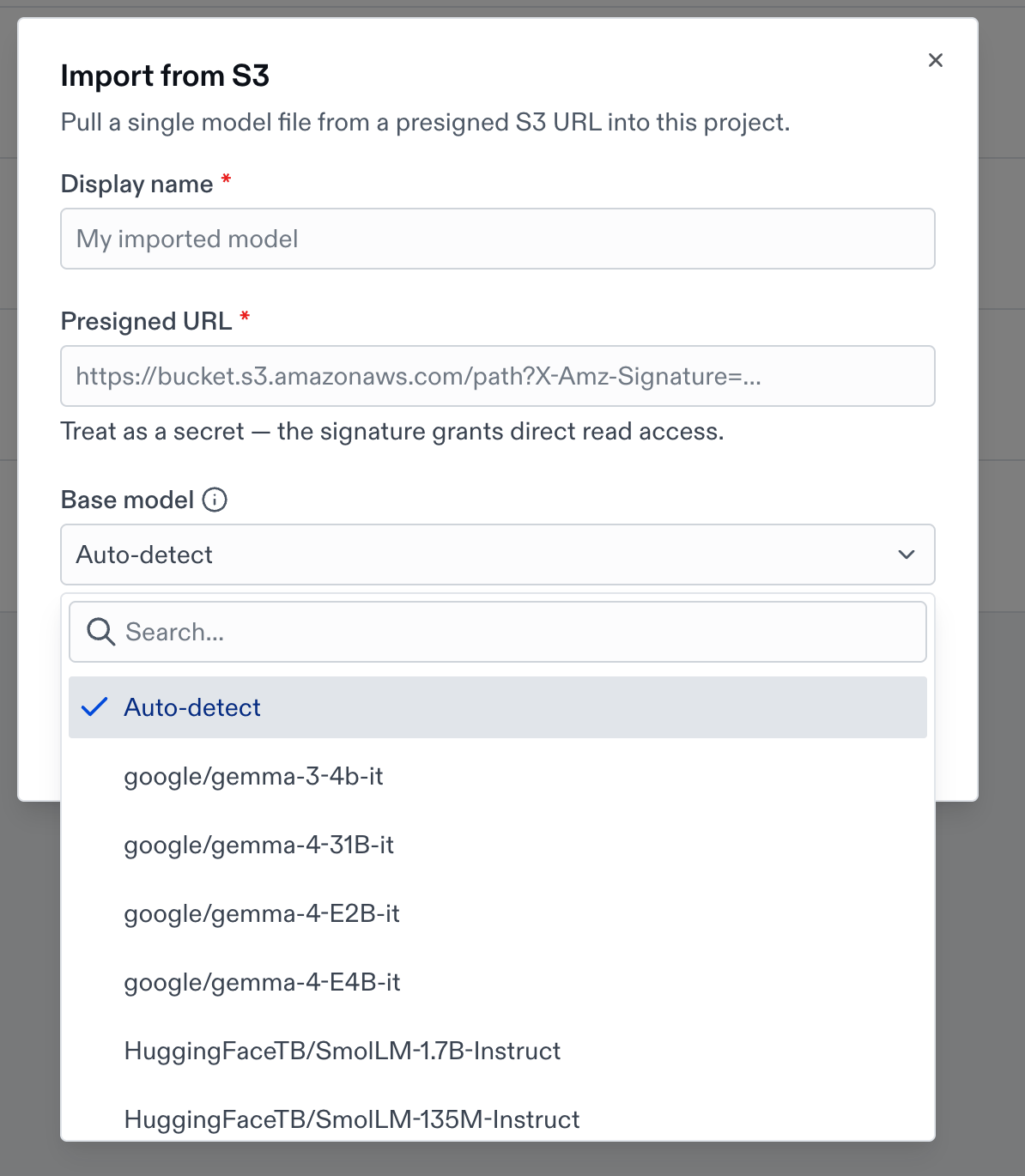
The base model tells Oumi which model your weights derive from. Oumi uses it to apply the correct chat template and to enable accurate evaluation and deployment, so setting it right matters.- For HuggingFace imports, Oumi auto-detects the base model from the Repo ID. Leave it on Auto-detect unless your weights derive from a different model.
- For S3 imports, set the base model yourself. Use the HuggingFace ID of the model your weights are based on, for example
Qwen/Qwen3-0.6B. - If your base model isn’t in the list, choose Other and type its HuggingFace ID.
AFTER IMPORTING
HuggingFace and S3 imports run in the background. You’ll see a confirmation that the import has started, and the model appears on the Models page once it finishes. Larger models take longer to copy in.USING YOUR IMPORTED MODEL
Once imported, your model works anywhere a custom model does:Run an evaluation
Select your imported model as the model under test and score it with your evaluators.
Deploy for inference
Serve your imported model on a managed inference endpoint.
IMPORTING WITH THE OUMI AGENT
You can also import a model by asking the Oumi Agent. Tell it which model you want to bring in, for example “importmeta-llama/Llama-3.2-1B from HuggingFace,” and the Agent walks you through the import and can continue straight into evaluation or deployment.