

WHEN TO IMPORT A MODEL
- Compare: Evaluate an open-source or third-party fine-tune next to your own models, on the same test set and evaluators.
- Deploy: Serve a model you trained elsewhere on an Oumi deployment, with its logs and monitoring.
IMPORT A MODEL
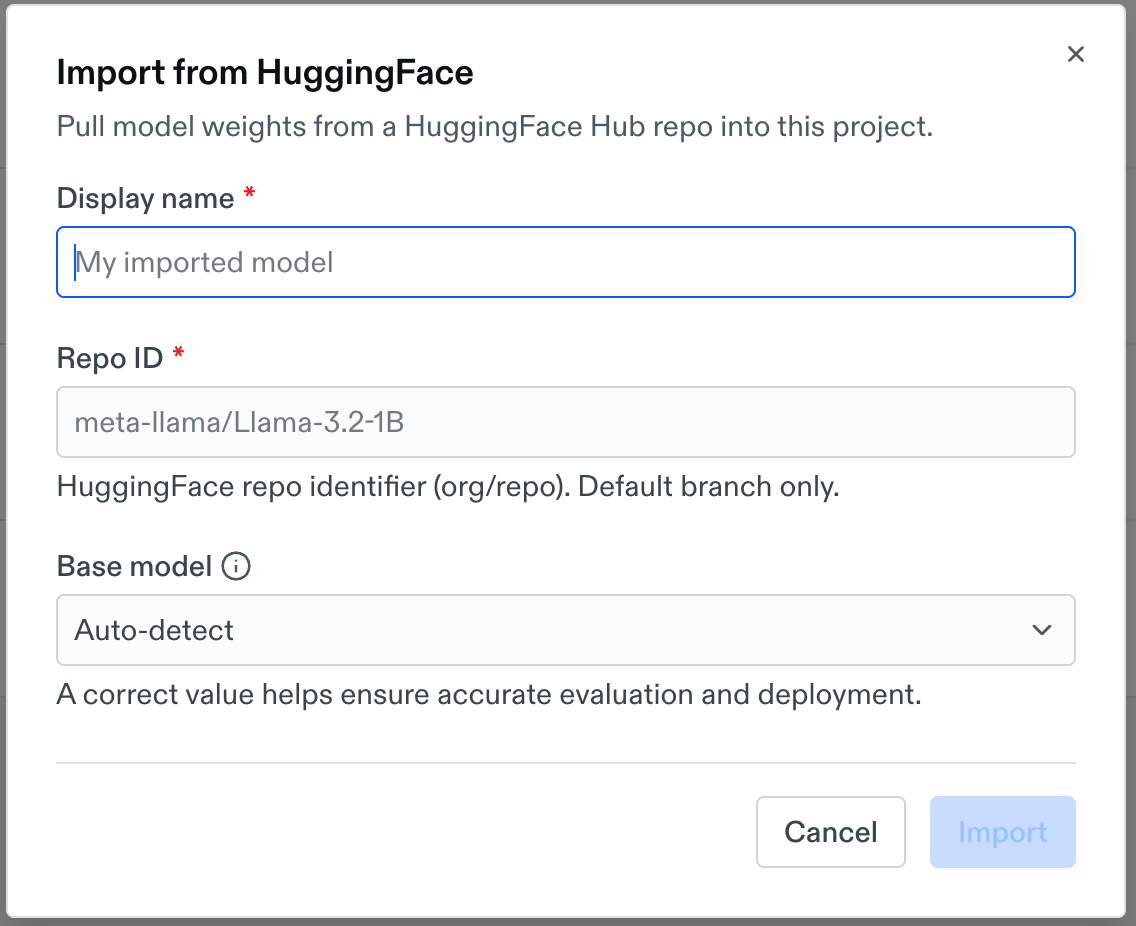
On the Models page, open the More actions menu and choose a source:- Import from HuggingFace: Enter a Display name and the Repo ID, such as
meta-llama/Llama-3.2-1B. Oumi imports the repo’s default branch. For a gated or private repo, add a Hugging Face key to your project first. - Import from S3: Enter a Display name and a Presigned URL to a weight file or an archive, such as a
.zipor.tar.gz. Treat the URL as a secret, because anyone with it can read the file.
SET THE BASE MODEL
The base model is the model your weights were trained from. Oumi uses it to format prompts with the right chat template, and to decide whether the model can be deployed. A wrong base model can make evaluations score poorly and can block deployment.- Hugging Face imports: Leave Base model on
Auto-detectunless your weights derive from a different model. - S3 imports: Choose the base model, such as
Qwen/Qwen3-0.6B. - A base model that isn’t listed: Choose
Other…and enter its Hugging Face ID. A model with an unlisted base model may not be deployable.
LORA ADAPTERS AND FULL WEIGHTS
Oumi detects the kind of weights for you. An import that contains anadapter_config.json file is a LoRA adapter, and anything else is full weights. Whether a model can be deployed depends on both its base model and this kind. A model that can’t be deployed is marked Not deployable in the Deploy Model dialog.